![Full List of Bobcat Fault Codes [With Searchable Table]](https://acropolis-wp-content-uploads.s3.us-west-1.amazonaws.com/list-of-bobcat-fault-codes-header_1.webp)
Bobcat makes a range of equipment, including skid steers, loaders, excavators, telehandlers, and tractors. When a Bobcat machine has an issue, it will display a diagnostic service code to inform the operator what the problem is. Understanding what a warning or error means when it appears on your machine can save valuable time, reduce repair costs, and prevent unnecessary downtime.
Having a reliable Bobcat fault codes list is an essential reference for owners and operators, as these built-in diagnostic alerts help identify performance issues or system malfunctions before they escalate.
This guide breaks down common operator error codes Bobcat machines display, explains what they mean, and walks you through practical troubleshooting steps to help you decide what to fix, reset, or service next.
Table of Contents
- Bobcat Fault Codes List
- Examples of Common Bobcat Error Codes
- Where to Find Error Codes on Your Machine
- Why It’s Important to Recognize Fault Codes and Fix Issues With Your Machine
- How to Reset Bobcat Fault Codes
- 3 Tips to Maintain Your Bobcat and Prevent Faults
- Rent Well-Maintained Equipment From BigRentz
What Are Bobcat Fault Codes?
Bobcat fault codes are diagnostic alerts generated by a machine’s onboard systems to indicate issues that need attention. These machines rely on electronic control modules that monitor key systems, including:
- Engine and emissions systems
- Hydraulics and drive components
- Electrical and sensor networks
- Safety and operational controls
When a value or signal falls outside programmed limits, the system generates one of many Bobcat diagnostic codes to alert the operator. Depending on the machine model and year, these codes are displayed or accessed through:
- In-cab displays, which show active fault or error codes directly on the operator screen.
- Diagnostic readers or software that provide deeper access to stored or historical codes.
Technicians often use a Bobcat diagnostic interface to view detailed data and confirm fault code meanings.
Fault Codes vs. Error Codes
While the terms are often used interchangeably, there is a practical distinction between these Bobcat machine codes:
- Fault codes usually point to system-level issues, such as sensor readings outside normal ranges or component malfunctions.
- Error codes are often triggered by operating conditions or user actions, such as improper startup sequences or temporary system interruptions.
Common Reasons Fault Codes Appear
Reasons can vary depending on the machine and operations. However, most Bobcat codes are commonly triggered by:
- Sensor or wiring issues
- Low fluid levels or overheating
- Electrical connection problems
- Emissions system alerts
- Improper operating conditions
While some codes are temporary, others require immediate action, making accurate interpretation essential for safe operation.
How To Get Bobcat Error Codes
Retrieving Bobcat error codes is usually straightforward, whether you’re using the machine’s onboard display or a diagnostic tool. The exact process can vary slightly by model, but the general steps are similar across skid steers, compact track loaders, and mini excavators.
Method 1: Using the Onboard Display
Most newer Bobcat machines have a display that shows the active fault or error codes directly in the cab.
- Switch the machine to the ON position.
- Check the display panel for warning lights or fault indicators.
- Navigate to the “Service,” “Diagnostics,” or “Faults” menu using the control buttons or touchscreen.
- View active or stored codes listed on the screen.
On many models, Bobcat display codes appear as a combination of numbers and letters. These correspond to specific Bobcat machine codes that can be referenced in the operator’s manual or service documentation.
Method 2: Using a Diagnostic Tool or Software
For further troubleshooting, technicians can use a Bobcat diagnostic interface or compatible software.
- Connect the diagnostic tool to the machine’s service port.
- Launch the software and establish communication with the control module.
- Access active, stored, or historical Bobcat diagnostic codes.
- Review additional details such as sensor data or system parameters.
This method provides more detailed insight than the onboard display and is often used for advanced repairs.
Reading Codes by Equipment Type
While the retrieval process is similar, small differences exist by machine category:
- Bobcat Skid Steers and Compact Track Loaders: Most modern units include in-cab displays with diagnostic menus accessible through push-button controls.
- Mini Excavators: Newer excavators feature digital panels, while older models may require referencing indicator light sequences.
- Compact Loaders: Typically use digital monitoring systems that display active and stored faults through a service menu.
What the Display Typically Looks Like
Below is a simplified example of how codes may appear:
- 3252-00 – Exhaust Temperature High
- A0321 – Telehandler Battery Voltage Out of Range High
- A0803 – Right Interlocking Sensor Short to Ground or Open Circuit
If you’re unsure how to access codes on your specific model, consult your operator’s manual or contact a qualified technician.
How To Clear Bobcat Error Codes
Before clearing a Bobcat error code, you must understand whether you’re clearing a temporary alert or addressing a real mechanical issue. Resetting a code without fixing the root cause may result in the fault returning and causing equipment damage.
Step 1: Identify the Code
Never clear a code without first understanding what triggered it. Before clearing the error code:
- Access the active fault through the onboard display or diagnostic tool.
- Record the full code number and description.
- Check the operator’s manual or service documentation for guidance.
Step 2: Address the Underlying Cause
Some codes are triggered by temporary conditions, such as:
- Low fuel or fluid levels
- Loose electrical connections
- Overheating from heavy use
- Safety interlock conditions
These issues are minor and can be corrected with minimal action. The code may clear automatically once the machine is restarted.
Step 3: Reset the Code
Some machines automatically clear inactive codes after multiple successful start cycles. However, depending on your Bobcat model, resetting may require:
- Turning the key off, waiting several minutes, and restarting
- Using the onboard display menu to clear stored faults
- Connecting a Bobcat diagnostic interface to manually reset active or historical codes
Temporary Clears vs. Permanent Fixes
While some machines allow you to clear a code, it does not always mean that the issue is resolved. Temporary clears can remove inactive or condition-based codes. Meanwhile, permanent fixes require more extensive repairs or replacing faulty components.
A good rule of thumb is that if the same code returns immediately after resetting, it usually indicates an unresolved mechanical or electrical issue.
Best Safety Practices: When To Call a Professional
Do not attempt to clear or reset these codes without a qualified technician:
- Engine overheating
- Hydraulic pressure failures
- Emissions system malfunctions
- Electrical short circuits
These issues can cause significant equipment damage or safety hazards if handled without care. A professional diagnostic scan can confirm whether the issue requires repair. When in doubt, leave it to the professionals to resolve the cause and get the machine back into full operation.
Searchable Fault Codes Table
If you’re having trouble with your Bobcat machine, you can refer to the following Bobcat codes list to find out what the issue is.
You can also download Bobcat’s PDF with the error code list.
Bobcat Fault Code List
Use our Bobcat codes list to locate the code number displayed on your machine. Type the code in the search box. This Bobcat code reader will give you a concise description of what the code signals and which part of the machine or system it relates to.
Examples of Common Bobcat Skid Steer Codes & What They Mean
Bobcat skid steer fault codes exist for virtually everything that can go wrong with your machine. They apply to every part and aspect, from your lift spool to your drive pump. Codes also indicate what specific part or side of the machine the issue is on, such as your right front wheel or right rear wheel, down to which solenoid is malfunctioning in your machine’s circuits.
Error codes also apply to the performance and function of your machine. You’ll see trouble codes when things related to your power, such as battery voltage or sensor supply voltage, and fluid levels, such as your hydraulic oil temperature, aren’t where they need to be. With the machine’s built-in volt sensors, temperature sensors, and speed sensors, not only will you be alerted to these errors, but these codes also indicate necessary details, such as “out of range low” or “out of range high.”
Though various things can cause your machine to malfunction, some issues are more common than others. Here are some examples of common trouble codes you might run into and how to fix the issues they’re indicating.
M0909 – Fuel Level Too Low
What It Means: The fuel level has dropped below the minimum operating threshold.
What To Check:
- Refuel the machine.
- Inspect the fuel gauge and wiring if the tank is full, but the code remains active.
This is one of the simplest codes to resolve. The error code typically clears after refueling and restarting the machine.
H7404 – Main Controller No Communication
What It Means: The machine’s primary controller is not communicating properly. This could be due to connection issues.
What To Check:
- Inspect battery voltage and connections.
- Check for blown fuses or loose wiring harness connections.
- Look for visible signs of damage or corrosion.
H3916 – Left Joystick No Communication
What It Means: The system is not receiving input signals from the left joystick.
What To Check:
- Ensure the joystick connector is secure.
- Inspect for damaged wiring.
- Restart the machine to rule out a temporary signal interruption.
If the code returns, the joystick module or control harness may need replacement.
3252-00 – Exhaust Temperature High
What It Means: The exhaust system temperature has exceeded the normal operating range.
What To Check:
- Allow the machine to cool.
- Inspect airflow around the engine and exhaust components.
- Check for excessive engine load or restricted filters.
A0321 – Battery Voltage Out of Range High
What It Means: The electrical system is detecting voltage levels above normal limits.
What To Check:
- Inspect the alternator output.
- Check battery condition and connections.
- Look for wiring issues or faulty regulators.
When To Consult the Operator Manual
Bobcat codes are model-specific and may vary by year and configuration. Always reference your operator’s manual or service documentation to confirm the exact meaning and recommended repair steps for your machine.
If a code returns after basic troubleshooting, or if it relates to engine, hydraulic, or emissions systems, consult a qualified technician to prevent further damage and downtime.
Where to Find Error Codes on Your Machine
Error codes are typically shown on the instrument panel or control display of your machine. The panels may be different depending on the type of machine you have – for example, whether it’s a skid steer or excavator, the model range, the specific features it has, and its age.
Here’s where to find error codes on some common models:
- R Series and Similar: Use the touchscreen to select “service codes.” You’ll see the active error on the screen as well as a history of error codes that have come up before. You can also access the machine’s service schedule and service record. If the model doesn’t have a touchscreen, use the knob to navigate to and select “service codes.”
- M2 Series and Similar: If you have a deluxe panel, navigate to “active warnings.” If you just have a panel with gauges and a display, press the information button. That should take you to a screen with an open book symbol that has a wrench over the top. Active error codes will be displayed here, and you can cycle through them if there are multiple codes.
Other Bobcat machines, like compact tractors, will just show warning lights and symbols on the display screen to indicate an error. You can check the operator guide to see what these mean.
Bobcat Troubleshooting Tips
When a fault code appears, you must determine whether it’s a minor issue you can correct on-site or something that requires professional service.
Quick Diagnostic Checklist
Before escalating the issue to a technician, run through these basic checks:
- Restart the machine to see if the code clears after a full power cycle.
- Check fluid levels, including fuel, hydraulic oil, and coolant.
- Inspect for visible damage such as loose wires, disconnected sensors, or leaking hoses.
- Verify battery voltage and connections to rule out electrical supply problems.
- Review recent operating conditions, such as overheating, heavy loads beyond capacity, or a sudden shutdown.
In many cases, codes are triggered by temporary conditions that automatically clear once the underlying cause is corrected.
Electrical Troubleshooting Basics
Electrical issues are among the most common causes of Bobcat fault codes. Addressing power supply issues first often resolves several codes simultaneously:
- Battery charge and terminal tightness
- Blown fuses or relays
- Corroded connectors or damaged wiring harnesses
Hydraulic and System Alerts vs. Operator Errors
It’s important to distinguish between mechanical/system faults and operator-related alerts:
- Hydraulic or system alerts may indicate pressure irregularities, overheating, or component failures and often require inspection beyond visual checks.
- Operator error codes in Bobcat machines may be triggered by seat bar position, safety interlocks, improper startup procedures, or exceeding load limits.
If a code relates to engine temperature, hydraulic pressure, or emissions systems, do not continue operating the machine until the issue is evaluated by a professional technician.
Preventive Maintenance Tips
Many recurring fault codes can be avoided with routine maintenance:
- Follow recommended service intervals.
- Replace filters and fluids on schedule.
- Keep cooling systems and air intakes clean.
- Inspect electrical connections during routine service checks.
You should consult a technician or authorized dealer if:
- The same code returns immediately after clearing.
- The machine enters limp mode or loses power.
- You notice unusual noises, smoke, or fluid leaks.
- The fault involves engine control modules, emissions systems, or major hydraulic components.
Professional diagnostics using a certified interface can confirm the root cause and prevent further damage. When in doubt, treat persistent fault codes as a signal to seek qualified service rather than continuing operation.
Why It’s Important to Recognize Fault Codes and Fix Issues With Your Machine
Monitoring fault codes helps you address issues as they come up with your equipment. If you use the machine while it isn’t operating normally, it could malfunction, putting you, the operator, and other nearby personnel at risk. Some issues can even cause the machine to shut down if left unaddressed, for example, if your engine coolant temperature is too high.
Recognizing a fault code and taking the necessary action to fix the problem promptly means you can fix smaller problems before they escalate, ensuring that you’re operating it safely and that the machine performs reliably.
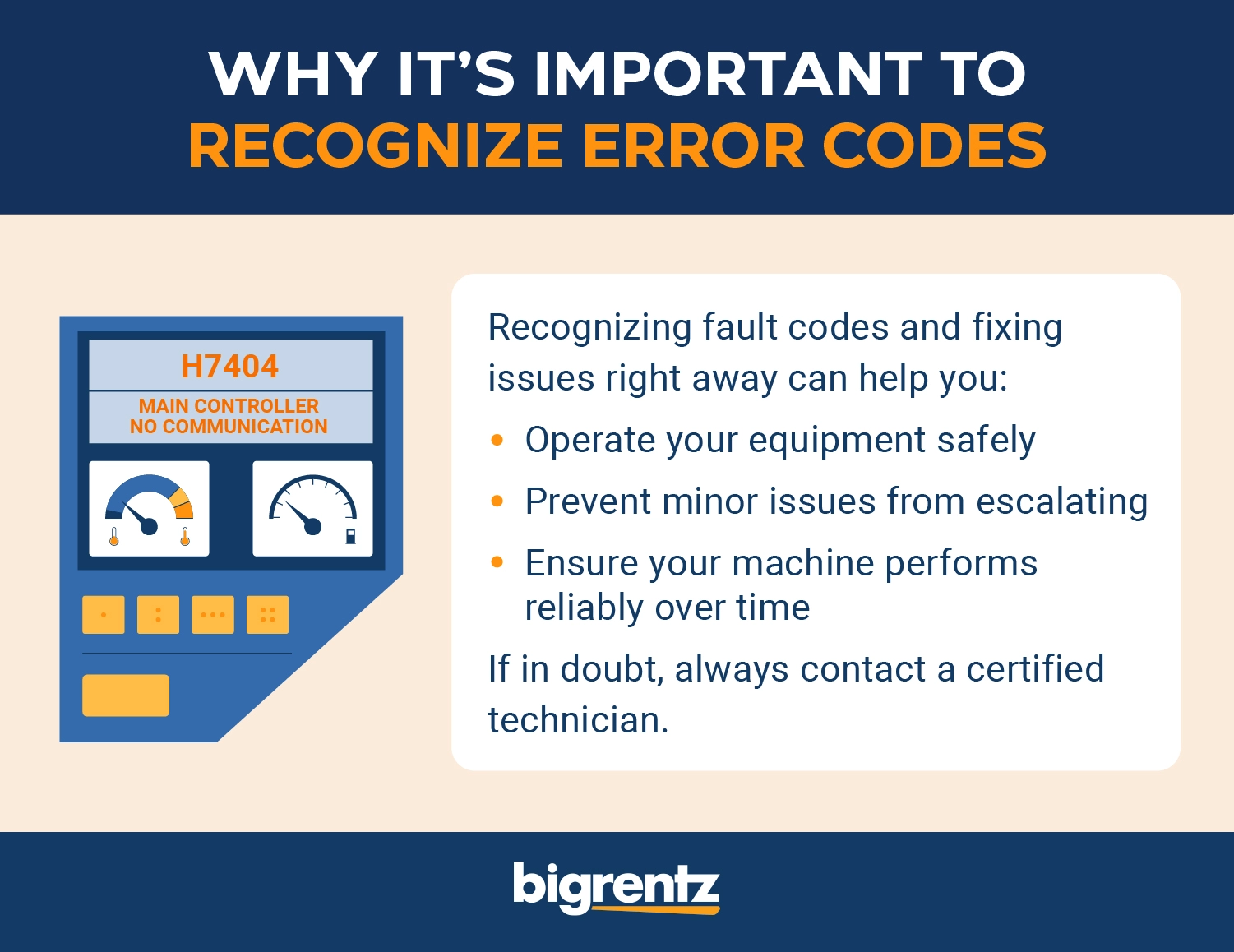
With proper maintenance, you can extend the life of your equipment, potentially saving you money on repairs and replacements.
How to Reset Bobcat Fault Codes
If you think the fault code you’re getting is erroneous, you can restart the engine to see if it resolves itself. There may also be ways to reset the codes using the instrument panel. Check your operator manual to see if this can be done and which buttons to press.
Whether you doubt the validity of the code or believe you fixed the problem yourself, contact a certified Bobcat technician. You want to be sure the problem is resolved before you try to reset any codes or use the equipment.
Always inspect any error codes that you see come up on your machine right away. Seemingly small or accidental issues could become serious if they’re left unaddressed, so it never hurts to check.
3 Tips to Maintain Your Bobcat and Prevent Faults
While you might not be able to totally avoid issues with your Bobcat machine, proper maintenance and care is your best defense against errors and faults. Here’s how to keep your equipment well maintained.

1. Read the Operator Manual
Reading the operator manual will help you understand the specific needs of your machine. It’ll also familiarize you with the best way to operate it for both safety and optimal performance.
If you need to order parts for your machine after seeing an error code, you can look up your Bobcat’s serial number in the manual and order what you need online or from your dealer.
2. Adhere to the Service Schedule
Each Bobcat machine comes with a recommended service schedule for maintenance. Following the schedule for your specific machine can help minimize the potential for issues to arise.
For example, here’s the maintenance schedule for an S650 skid steer loader:
- Every 10 hours: Before starting the loader, make essential safety checks, inspecting aspects like engine oil and engine oil pressure, the air filter, hydraulic fluid, and wheel nuts.
- Every 50 hours: Check for damage and leaks to hoses, tubelines, and other parts, in addition to a general inspection.
- Every 100 hours: Check the battery, engine oil, and filter.
- Every 250 hours (or every 12 months): The engine and drive belts need to be checked.
- Every 500 hours (or every 12 months): Filters like the fuel filter need to be replaced.
- Every 1,000 hours (or every 12 months): Fluids need to be replaced and the engine valve clearance needs to be adjusted.
- Every 1,500 hours (or every 24 months): The coolant needs to be replaced.

3. Don’t Forget to Maintain Your Attachments
Attachments require as much care as the main machine. Make sure you check all fluid levels regularly and change them as needed. You can also briefly test attachments for use before you start work to ensure they’re safe to use and functioning properly.
Rent Well-Maintained Equipment From BigRentz
Bobcat fault and error codes are built to help you catch problems early and keep your equipment operating safely. By understanding codes and how to troubleshoot them, you can quickly determine whether an issue requires a basic fix or professional service.
Keep this page bookmarked as your reliable reference for the Bobcat error codes list when diagnosing problems in the field. If your team works regularly with Bobcat equipment, consider sharing it with your maintenance team for quick access when codes appear on site.
For additional support with error code troubleshooting, explore these related resources:
- Bobcat Operation and Maintenance Manuals
- BigRentz Equipment Operation and Safety Manuals
- BigRentz Free Rental Equipment Guides
- BigRentz Help Center & FAQs
Let BigRentz take some of the burden off your shoulders by renting the equipment you need from our reliable suite of machines. We handle the hassle of maintenance for you, so you can focus on getting the job done.